DVC (Data Version Control) is an open-source tool that extends Git to handle large data files, machine learning models, and experiment metrics. It creates lightweight metafiles (.dvc files) that are tracked in Git, while the actual large files are stored in cost-efficient remote storage like Amazon S3, Google Cloud Storage, or Azure Blob Storage. This decoupling allows teams to version massive datasets and model artifacts with the same branching, merging, and collaboration workflows used for code.

Glossary
DVC (Data Version Control)
DVC (Data Version Control) is an open-source version control system for machine learning projects that manages datasets, models, and experiments alongside code using Git, while storing large files in remote storage.
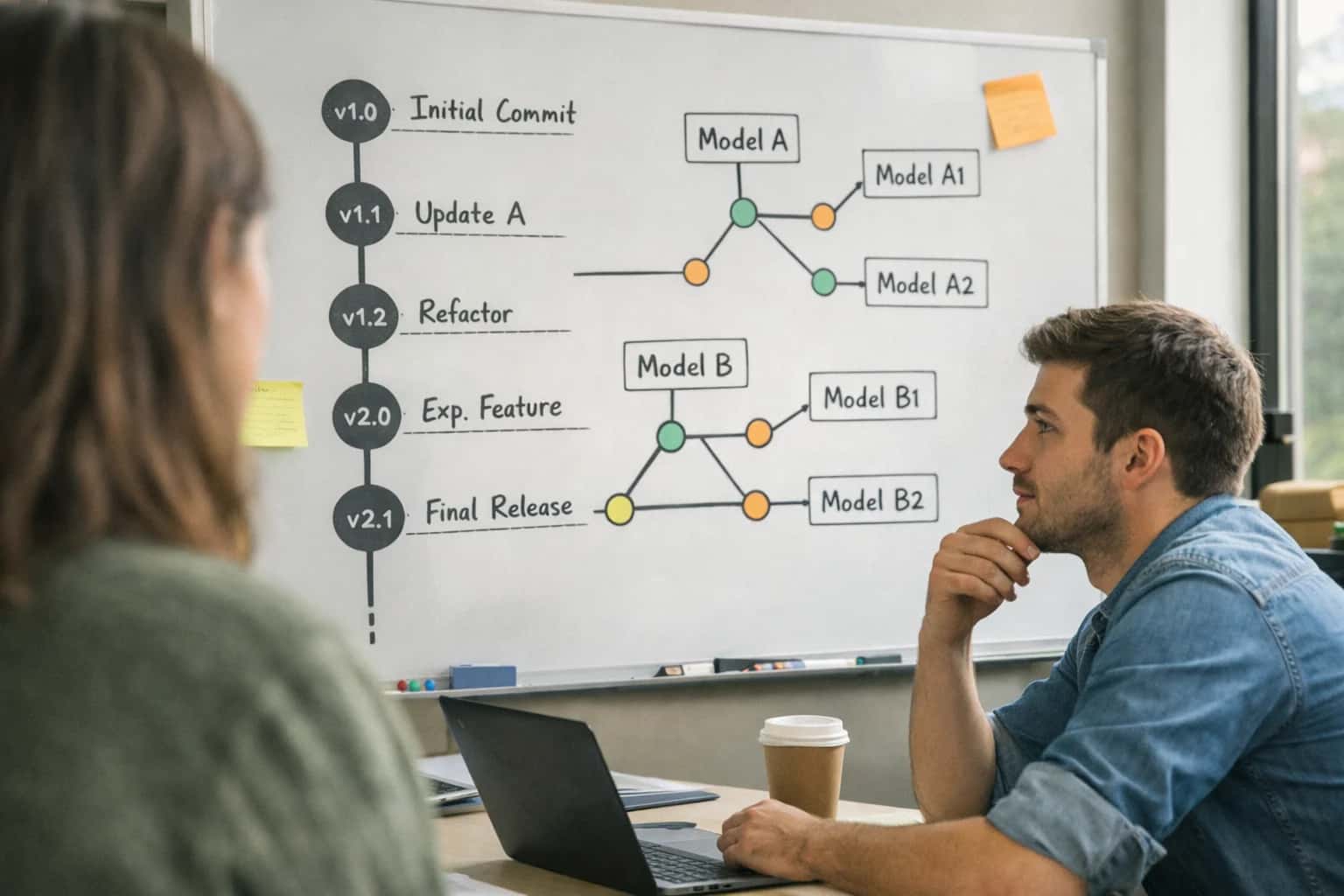
EXPERIMENT TRACKING
What is DVC (Data Version Control)?
DVC (Data Version Control) is an open-source version control system for machine learning projects that manages datasets, models, and experiments alongside code using Git, while storing large files in remote storage.
Beyond data versioning, DVC provides experiment tracking capabilities to log parameters, metrics, and plots for each training run, enabling reproducible pipeline execution. It integrates with established tools like MLflow for experiment management and supports data lineage tracking to maintain a complete audit trail from raw data to final model. This makes DVC a foundational component for MLOps practices, ensuring reproducibility and collaboration in complex machine learning projects.
EXPERIMENT TRACKING
Key Features of DVC
DVC (Data Version Control) is an open-source version control system for machine learning projects that manages datasets, models, and experiments alongside code using Git, while storing large files in remote storage. Its core features enable reproducibility, collaboration, and efficient management of the ML lifecycle.
01
Git-Compatible Data Versioning
DVC uses Git as the source of truth for metadata while offloading large files—like datasets, model weights, and intermediate artifacts—to dedicated remote storage (S3, GCS, Azure Blob, SSH). It creates small .dvc pointer files that are committed to Git, linking to the actual data. This allows teams to version multi-gigabyte assets with the same branching, merging, and collaboration workflows they use for code.
- Pointer Files: Lightweight text files that store checksums and metadata.
- Immutable Storage: Data files are content-addressable, meaning the same file always has the same hash, preventing duplication.
- Checkout: Use
dvc checkoutto sync your workspace with the data referenced by a specific Git commit or branch.
02
Pipeline and Dependency Management
DVC allows you to define reproducible pipelines as directed acyclic graphs (DAGs) using dvc.yaml files. Each stage specifies:
- Dependencies: Input code, configuration files, and data.
- Command: The shell command to run (e.g.,
python train.py). - Outputs: Generated models, metrics, or processed data.
DVC automatically tracks changes to dependencies. Running dvc repro will only execute stages whose dependencies have changed, saving significant compute time. This creates a complete, versioned record of the data transformation process from raw input to final model.
03
Experiment Tracking and Metrics
DVC integrates experiment tracking directly into the Git workflow. It captures metrics and parameters from pipeline runs and commits them alongside code and data versions.
- Metrics Logging: Pipeline stages can output metrics (e.g.,
accuracy.json,loss.txt) which DVC tracks. - Parameters File: Externalize hyperparameters in a
params.yamlfile; DVC detects changes to trigger pipeline re-execution. - Experiment Management: Use
dvc exp runto run iterative experiments, comparing results across branches or commits with commands likedvc metrics diffanddvc params diff. This provides a lightweight, code-native alternative to standalone tracking servers for many use cases.
04
Data and Model Registry
DVC enables the creation of a shared data registry by configuring remote storage (object storage, network drive) and using dvc push and dvc pull. This functions as a centralized, versioned repository for team-wide access to datasets and model artifacts.
- Centralized Cache: A shared remote cache stores all unique file versions, which individual
dvc pullcommands fetch on demand. - Model Versioning: Trained models are treated as pipeline outputs, versioned and stored alongside the data and code that produced them.
- Access Control: Leverage the native permissions of your cloud storage provider (e.g., AWS IAM) to manage access to the registry.
05
Reproducibility and Environment Management
DVC ensures full reproducibility by capturing the exact state of code, data, and environment dependencies for any experiment.
- Environment Capture: While DVC itself is language-agnostic, it is commonly used with
requirements.txt,environment.yaml, orDockerfileto define software dependencies. These files should be versioned with Git. - Reproducibility Command: A single command,
dvc repro, can recreate the entire pipeline from a given Git commit, provided the same environment is restored. - Lineage Tracking: DVC maintains a complete graph of data provenance, allowing you to trace any model or dataset back to its source inputs and the code that processed it.
06
Integration with ML Workflow Tools
DVC is designed to integrate seamlessly into existing MLOps ecosystems rather than replace them.
- CI/CD: DVC pipelines and data fetching can be integrated into GitHub Actions, GitLab CI, or Jenkins for automated testing and deployment.
- Experiment Trackers: DVC can be used in conjunction with tools like MLflow, Weights & Biases, or TensorBoard. For example, log detailed metrics to MLflow while using DVC to version the underlying data and model binaries.
- Orchestrators: DVC pipeline stages can be executed by workflow orchestrators like Airflow, Prefect, or Kubeflow for scheduled or complex job management.
FEATURE COMPARISON
DVC vs. Git and Other ML Tools
A technical comparison of Data Version Control (DVC) with Git and other specialized machine learning tools, focusing on core capabilities for experiment tracking and reproducibility.
| Feature / Capability | DVC (Data Version Control) | Git | MLflow Tracking |
|---|---|---|---|
Primary Purpose | Version control for large data, models, and ML pipelines, integrated with Git. | Version control for source code and text files. | End-to-end ML lifecycle management, with a component for experiment tracking. |
Large File Storage | |||
Data Versioning | |||
Model Versioning | |||
Pipeline Definition & Orchestration | |||
Experiment Parameter Logging | |||
Experiment Metric Logging | |||
Artifact Storage & Logging | |||
Native Data Lineage Tracking | |||
Interactive Experiment Dashboard | |||
Model Registry | |||
Language-Agnostic CLI & API | |||
Built-in Hyperparameter Tuning | |||
Primary Storage Mechanism | Remote storage (S3, GCS, Azure, SSH) with pointer files in Git. | Git repository (.git directory). | Local file system or backend database (SQLite, PostgreSQL). |
Reproducibility Focus | Reproducible data pipelines and experiments via | Reproducible code state via commits. | Reproducible runs via logged parameters, metrics, and artifacts. |
DATA VERSION CONTROL
Common Use Cases for DVC
DVC (Data Version Control) extends Git's versioning capabilities to large datasets, models, and experiments. Its primary use cases center on enabling reproducibility, collaboration, and automation in machine learning projects.
DVC (DATA VERSION CONTROL)
Frequently Asked Questions
DVC (Data Version Control) is an open-source version control system for machine learning projects. It manages datasets, models, and experiments alongside code using Git, while storing large files in remote storage. Below are answers to common technical questions about its operation and use.
DVC (Data Version Control) is an open-source tool that extends Git to manage large files, datasets, and machine learning models, treating them as versioned code artifacts. It works by creating small, human-readable .dvc files that act as pointers (or metadata files) to the actual data stored in remote storage like Amazon S3, Google Cloud Storage, or Azure Blob Storage. When you run dvc add on a large dataset, DVC calculates a unique hash for the file, moves it to a local cache, and creates a .dvc file containing this hash. This .dvc file is then committed to Git. To retrieve the correct version of the data, DVC uses the hash in the .dvc file to pull it from the cache or configured remote storage. This decouples version control of massive assets from your Git repository while maintaining a precise, reproducible link between code and data commits.
Enabling Efficiency, Speed & Accuracy
Intelligent Analysis, Decision & Execution
We build AI systems for teams that need search across company data, workflow automation across tools, or AI features inside products and internal software.
Talk to Us
Search across company data
Give teams answers from docs, tickets, runbooks, and product data with sources and permissions.
Useful when people spend too long searching or get different answers from different systems.
Enterprise searchRAGPermissions
Read more
Automate internal workflows
Use AI to route work, draft outputs, trigger actions, and keep approvals and logs in place.
Useful when repetitive work moves across multiple tools and teams.
AI agentsWorkflow automationGovernance
Read more
Add AI to products and internal tools
Build assistants, guided actions, or decision support into the software your team or customers already use.
Useful when AI needs to be part of the product, not a separate tool.
AI integrationDecision supportModel routing
Read more
About the author
Prasad Kumkar
CEO & MD, Inference Systems
Prasad Kumkar is the CEO & MD of Inference Systems and writes about AI systems architecture, LLM infrastructure, model serving, evaluation, and production deployment. Over 5+ years, he has worked across computer vision models, L5 autonomous vehicle systems, and LLM research, with a focus on taking complex AI ideas into real-world engineering systems.
His work and writing cover AI systems, large language models, AI agents, multimodal systems, autonomous systems, inference optimization, RAG, evaluation, and production AI engineering.
LinkedIn
Limited slotsGet a Free AI Consultation
Partnered with leading AI, data, and software stack.





How We Work
Custom AI workflows for your Business
One-fit-all AI don't work for modern businesses. At Inferensys, we aim to understand your business & custom requirements; which we use to define most efficient agentic workflows, the data, and the tools for your business.
01
Review the use case
We understand the task, the users, and where AI can actually help.
Read more02
Pick the right approach
We define what needs search, automation, or product integration.
Read more03
Build the first useful version
We implement the part that proves the value first.
Read more04
Improve from there
We add the checks and visibility needed to keep it useful.
Read moreThe first call is a practical review of your use case and the right next step.
Talk to Us