A device twin is a digital representation of a physical edge device that mirrors its state, properties, and capabilities within a cloud-based management system. It acts as a persistent JSON document containing reported state from the device, desired state from the cloud, and metadata. This virtual counterpart enables remote monitoring, configuration, and interaction without requiring constant direct connection to the physical hardware, forming the backbone of modern IoT and edge orchestration platforms like Azure IoT Hub and AWS IoT Core.

Glossary
Device Twin
A device twin is a digital representation of a physical edge device that mirrors its state, properties, and capabilities, enabling remote monitoring, configuration, and management from cloud-based systems.
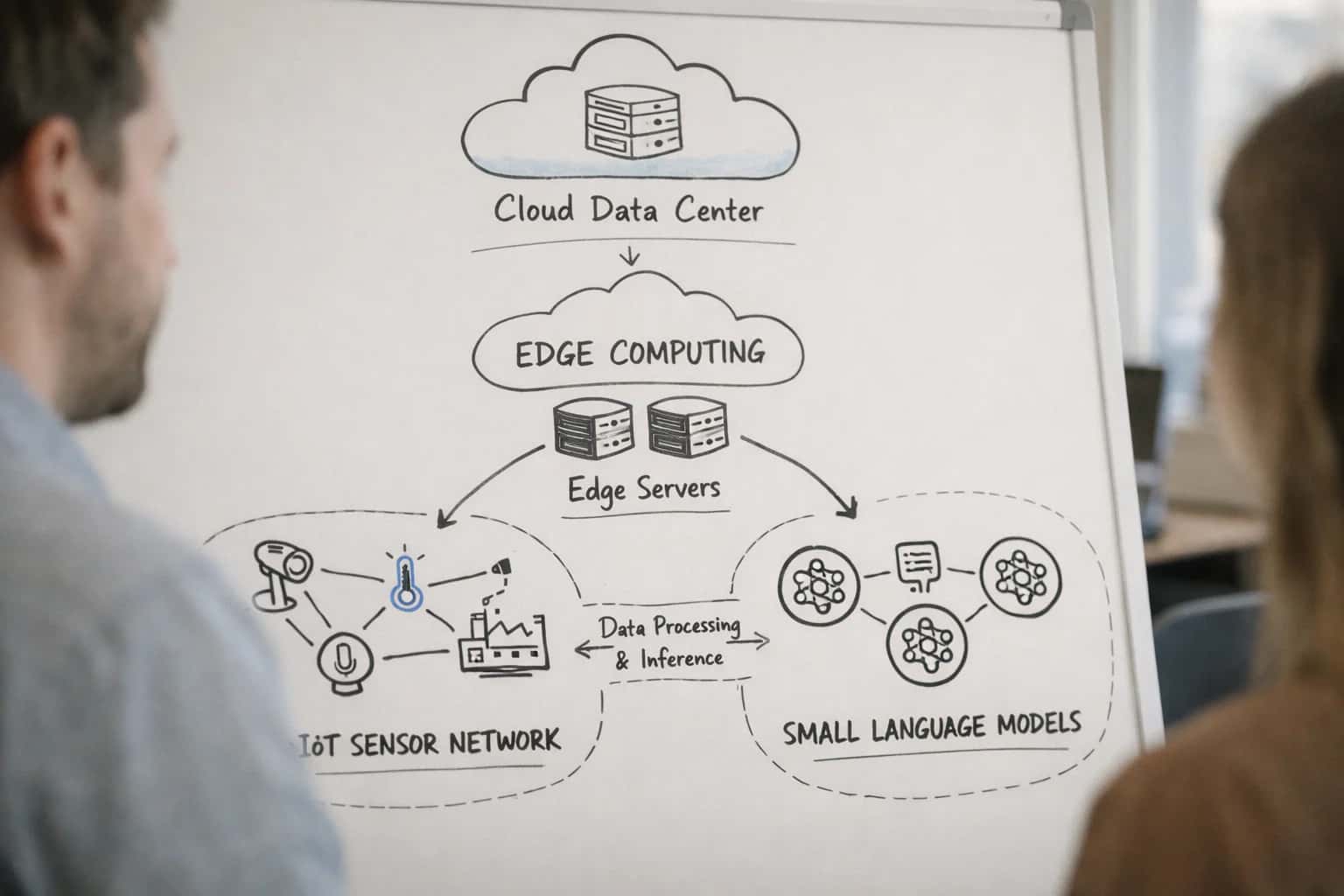
EDGE MODEL DEPLOYMENT
What is a Device Twin?
A core concept for managing physical devices in distributed edge computing and IoT architectures.
The primary function of a device twin is to synchronize state between the cloud and the device. The cloud application sets a desired state, such as a new firmware version or model configuration, which the device retrieves and applies. The device then reports its actual reported state back to the twin. This bidirectional communication supports essential edge AI operations like over-the-air (OTA) updates for machine learning models, configuration management, and condition-based monitoring, ensuring the fleet's operational state matches its declared intent.
ARCHITECTURAL OVERVIEW
Core Components of a Device Twin
A device twin is a structured JSON document that acts as a digital proxy for a physical device. It contains three primary sections for state management, configuration, and communication.
01
Reported Properties
The reported properties section is a read-only data structure populated by the physical device. It represents the device's current state and telemetry, such as sensor readings, operational status, or firmware version. This data is uploaded from the device to the cloud, providing a real-time view of its condition.
- Example:
{"temperature": 72.5, "fanSpeed": "high", "lastBootTime": "2024-05-15T08:30:00Z"} - Key Use: Enables cloud-based monitoring, dashboards, and alerting based on live device data.
02
Desired Properties
The desired properties section is a writeable data structure set by a cloud application or operator. It defines the target configuration or state for the physical device. The device is responsible for reading these properties and reconciling its own state to match them.
- Example: A cloud service sets
{"targetTemperature": 68, "operatingMode": "eco"}. - Key Use: Enables remote, centralized configuration and command of edge devices without direct physical access.
03
Tags
Tags are metadata stored in the device twin, but never synchronized to the physical device. They are used for querying, organizing, and managing device fleets from the cloud.
- Examples:
{"location": "warehouse-12", "deviceType": "vibration-sensor", "customer": "Contoso"} - Key Use: Allows operators to query and act on groups of devices (e.g., "update all sensors in warehouse-12") and integrate device context into business applications.
04
Device Twin Synchronization
The core mechanism of a device twin is the synchronization between its cloud representation and the physical device. This is a state-based, eventual consistency model.
- Process: When desired properties are updated in the cloud, the device is notified. The device reports back its new state via reported properties, often including a status code (e.g.,
"pending","completed","failed"). - Key Benefit: This decouples the cloud service from the device's connectivity status, making the system resilient to network interruptions.
05
Direct Methods & Cloud-to-Device Messages
While not part of the twin's JSON document, direct methods and cloud-to-device (C2D) messages are communication patterns tightly integrated with the twin concept.
- Direct Methods: Synchronous, request-reply style calls to invoke a function on the device (e.g.,
reboot()orrunDiagnostics()). - C2D Messages: One-way, asynchronous notifications from cloud to device with a short time-to-live.
- Contrast with Twin Properties: Methods and messages are for imperative commands, while twin properties are for declarative state management.
06
Query Language & Fleet Operations
A primary advantage of device twins is enabling fleet-wide queries using a SQL-like language. This allows operators to interrogate the collective state of all device twins.
- Example Query:
SELECT deviceId, properties.reported.temperature FROM devices WHERE properties.reported.temperature > 80 AND tags.location = 'boiler-room' - Key Use: Scalable management, identifying outliers, triggering automated remediation workflows, and generating aggregated reports across thousands of devices.
EDGE MODEL DEPLOYMENT
How Device Twins Work in Edge AI Systems
A device twin is a foundational concept for managing distributed AI deployments, acting as a synchronized digital proxy for a physical edge device.
A device twin is a digital representation of a physical edge device that mirrors its state, properties, and capabilities within a cloud-based management system. It serves as a virtual counterpart for remote monitoring, configuration, and interaction, enabling administrators to query a device's status or push updates without direct physical access. This abstraction is central to Edge AI orchestration, allowing for the centralized management of a heterogeneous fleet of devices running machine learning models.
In an Edge AI context, the device twin synchronizes critical information such as the deployed model version, inference performance metrics, hardware telemetry, and the device's desired state configuration. This enables over-the-air (OTA) updates for model rollouts, drift detection by comparing expected and reported behavior, and canary deployments by targeting updates to specific device twins. The twin acts as the single source of truth for the device's intended operational condition within an Infrastructure as Code (IaC) or GitOps workflow.
EDGE MODEL DEPLOYMENT
Common Use Cases for Device Twins
A device twin's digital representation enables sophisticated remote management and automation. These are its primary operational applications in edge AI systems.
01
Remote Monitoring & State Synchronization
A device twin continuously mirrors the real-time state (e.g., temperature, memory usage, connection status) of its physical counterpart. This provides a single source of truth for system health.
- Centralized Observability: Operators view the status of thousands of devices from a cloud dashboard.
- Historical State Tracking: The twin stores a history of property changes for debugging and trend analysis.
- Example: Monitoring CPU temperature spikes across a fleet of industrial gateways to predict hardware failure.
02
Configuration & Desired State Management
Device twins manage configuration by defining a desired state (e.g., model version, inference frequency) that the physical device works to achieve.
- Declarative Configuration: Operators set the desired software version or ML model in the twin; the device reports back its reported state.
- Orchestration Enabler: This pattern is fundamental for over-the-air (OTA) updates and canary deployments of new AI models.
- Example: Pushing a new, quantized vision model to 10% of security cameras, with the twin tracking each device's update status.
03
Command & Control for Edge AI Workloads
Twins act as a secure, queued communication channel for sending commands to and receiving responses from edge devices, even when offline.
- Asynchronous Communication: Commands (e.g.,
run_inference,reboot) are stored in the twin until the device connects. - Job Orchestration: Complex tasks, like federated learning rounds or data sampling schedules, are coordinated through the twin.
- Example: Instructing a drone fleet to capture imagery using a newly deployed on-device object detection model.
04
Predictive Maintenance & Anomaly Detection
By streaming telemetry data to the cloud, device twins enable ML-driven analytics to predict failures before they occur.
- Feature Aggregation: Twins aggregate sensor data (vibration, power draw) used as features for cloud-based predictive models.
- Alert Triggering: When cloud analytics detect an anomaly pattern, an alert is generated via the twin's interface.
- Example: Analyzing motor vibration patterns from hundreds of pumps to schedule maintenance only when needed, reducing downtime.
05
Digital Twin Simulation & Scenario Testing
A device twin can be used in a simulation environment to test updates, configurations, or failure scenarios without impacting the physical device.
- Safe Validation: Test new model deployment scripts or configuration changes against the digital twin first.
- Load Testing: Simulate high-frequency telemetry messages to test backend data pipeline capacity.
- Example: Validating the rollout procedure for a critical security patch across a simulated fleet of 10,000 device twins before live deployment.
06
Integration with Business Logic & Workflows
Device twins are not isolated; they integrate with higher-order business process automation and enterprise systems.
- Event-Driven Actions: A twin property change (e.g.,
inventoryLow: true) can trigger a workflow in an ERP system to reorder parts. - Data Contextualization: Twin metadata (device location, model type) enriches raw sensor data for business intelligence dashboards.
- Example: A smart vending machine's twin reporting a stock-out event automatically generates a restocking ticket for field personnel.
DEVICE TWIN
Frequently Asked Questions
A device twin is a foundational concept in edge AI and IoT for managing distributed hardware. These questions address its core functions, architecture, and role in enterprise deployments.
A device twin is a digital representation of a physical edge device that mirrors its state, properties, and capabilities within a cloud-based management system. It works by maintaining a persistent JSON document that stores device metadata, reported properties (like current temperature or firmware version sent from the device), and desired properties (configuration targets set by the cloud). The management platform interacts solely with the twin, which synchronizes these desired properties to the physical device and receives its reported state updates, enabling remote monitoring and configuration without requiring a constant direct connection to the device itself.
Enabling Efficiency, Speed & Accuracy
Intelligent Analysis, Decision & Execution
We build AI systems for teams that need search across company data, workflow automation across tools, or AI features inside products and internal software.
Talk to Us
Search across company data
Give teams answers from docs, tickets, runbooks, and product data with sources and permissions.
Useful when people spend too long searching or get different answers from different systems.
Enterprise searchRAGPermissions
Read more
Automate internal workflows
Use AI to route work, draft outputs, trigger actions, and keep approvals and logs in place.
Useful when repetitive work moves across multiple tools and teams.
AI agentsWorkflow automationGovernance
Read more
Add AI to products and internal tools
Build assistants, guided actions, or decision support into the software your team or customers already use.
Useful when AI needs to be part of the product, not a separate tool.
AI integrationDecision supportModel routing
Read more
About the author
Prasad Kumkar
CEO & MD, Inference Systems
Prasad Kumkar is the CEO & MD of Inference Systems and writes about AI systems architecture, LLM infrastructure, model serving, evaluation, and production deployment. Over 5+ years, he has worked across computer vision models, L5 autonomous vehicle systems, and LLM research, with a focus on taking complex AI ideas into real-world engineering systems.
His work and writing cover AI systems, large language models, AI agents, multimodal systems, autonomous systems, inference optimization, RAG, evaluation, and production AI engineering.
LinkedIn
Limited slotsGet a Free AI Consultation
Partnered with leading AI, data, and software stack.





How We Work
Custom AI workflows for your Business
One-fit-all AI don't work for modern businesses. At Inferensys, we aim to understand your business & custom requirements; which we use to define most efficient agentic workflows, the data, and the tools for your business.
01
Review the use case
We understand the task, the users, and where AI can actually help.
Read more02
Pick the right approach
We define what needs search, automation, or product integration.
Read more03
Build the first useful version
We implement the part that proves the value first.
Read more04
Improve from there
We add the checks and visibility needed to keep it useful.
Read moreThe first call is a practical review of your use case and the right next step.
Talk to Us