Vision
Face landmarks
Measures eye aspect ratio, mouth movement, head position, and face presence.
Eye aspect ratioMouth aspect ratioHead offsetFace presence

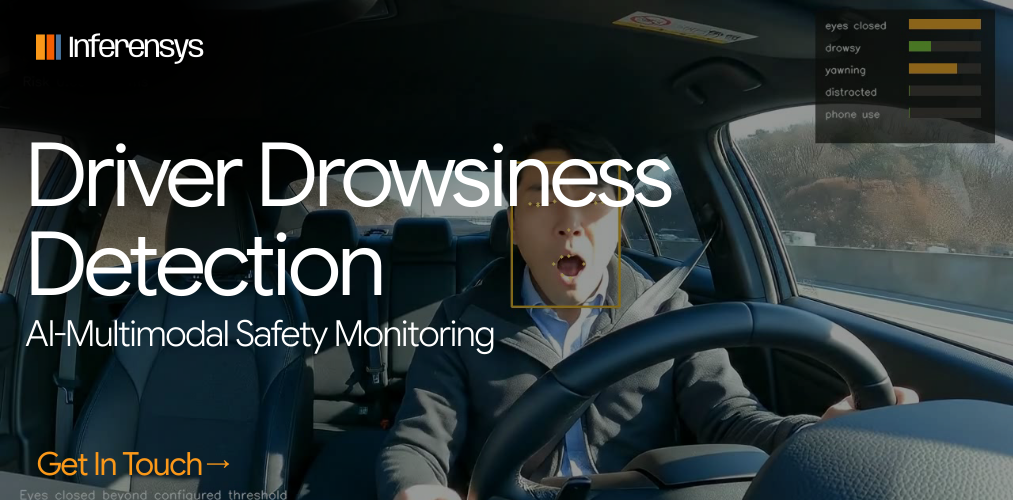
Case study / Driver monitoring AI
AI Driver Safety is an in-cabin computer vision system for driver drowsiness detection, distraction detection, and phone-use detection.
It turns video into annotated clips, event logs, safety scores, and reports for fleet safety, ADAS, telematics, and automotive AI teams.
Project
AI Driver Safety
Category
Driver monitoring AI, drowsiness detection, and in-cabin sensing
Core loop
Video frame, landmarks, object detection, event scoring, alerts, report
Signals
Eye closure, yawning, drowsiness, distraction, phone use, vehicle context, sensor drowsiness
Outputs
Annotated MP4, event JSON, CSV, summary JSON, HTML report, screenshots
Repository
github.com/Inferensys/ai-driver-safety
Detection scope
Eye closure, yawning, and drowsy state events across video frames.
Head position, face presence, visible phone use, and attention signals.
Timestamp, frame index, signal, score, severity, landmarks, boxes, and metadata.
Demo
A real cabin clip running through the AI driver monitoring pipeline.
Drowsiness detection
Distraction and phone-use detection
Annotated MP4, JSON/CSV, and HTML report
Repository
Python package, config profiles, demo assets, architecture notes, edge guide, tests, and sample outputs.
github.com/Inferensys/ai-driver-safetySource repositoryCore components
Computer vision, object detection, event rules, scoring, and exports.
Vision
Measures eye aspect ratio, mouth movement, head position, and face presence.
Objects
Uses ONNX YOLO11 to identify visible cell phones.
Signal logic
Uses thresholds, frame counters, and cooldowns before recording an event.
Scoring
Combines fatigue, distraction, phone use, sensor, and vehicle signals.
Evidence
Exports MP4, event JSON, CSV, summary JSON, and an HTML report.
Use cases
Fleet safety AI, ADAS driver monitoring, insurance telematics, and in-cabin sensing.
Fleet
Detect drowsiness, distraction, and phone use across a trip.
ADAS
Evaluate driver attention and readiness in assisted-driving prototypes.
Telematics
Pair fatigue and distraction signals with harsh braking, lane drift, and speeding.
Fatigue
Track eye closure, yawning, drowsiness, and optional physiological signals.
Distraction
Detect visible phone use and head-position changes.
Demo outputs
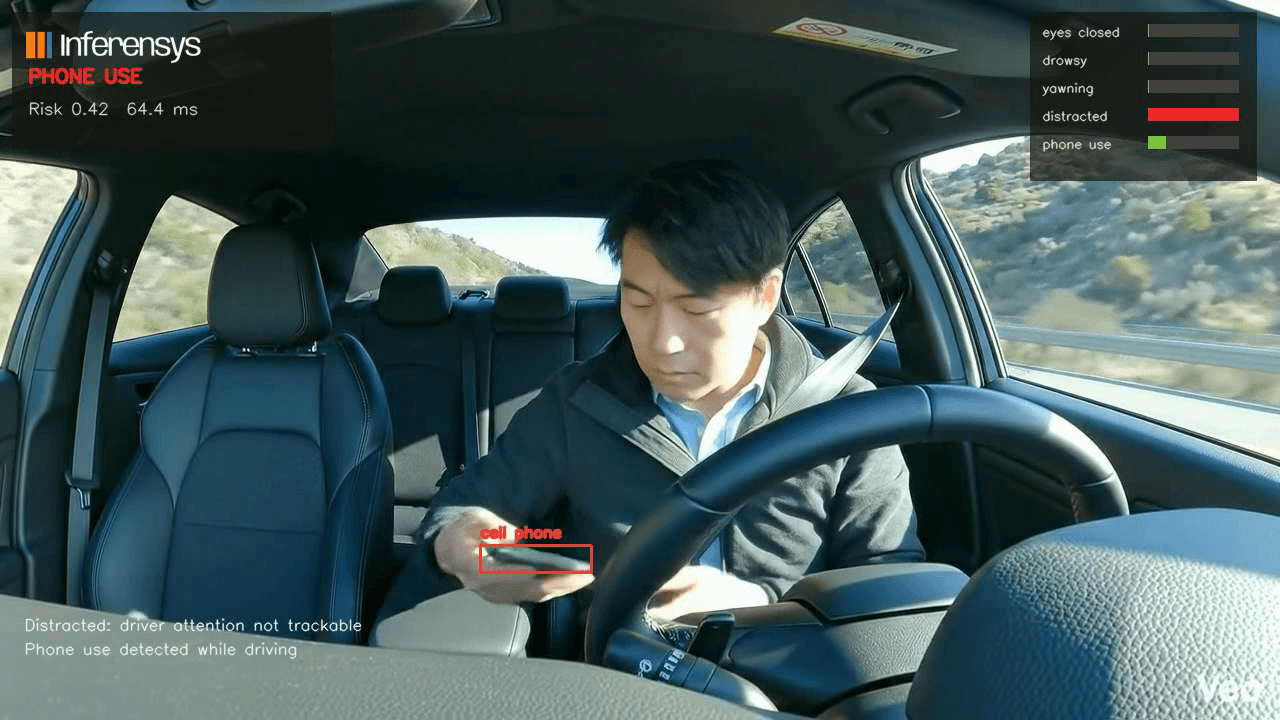
Live monitor, event timeline, clip batch, and phone-use detection.
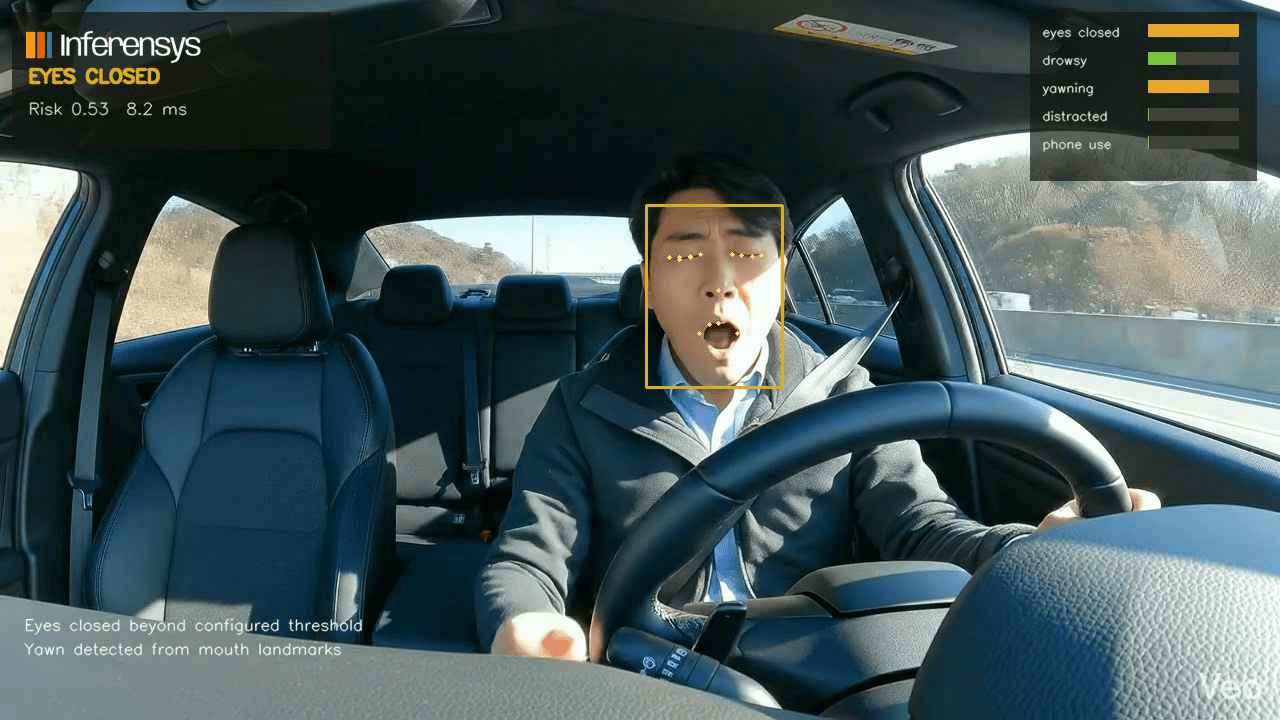
Live monitor
Annotated frame, driver state, active events, and score.
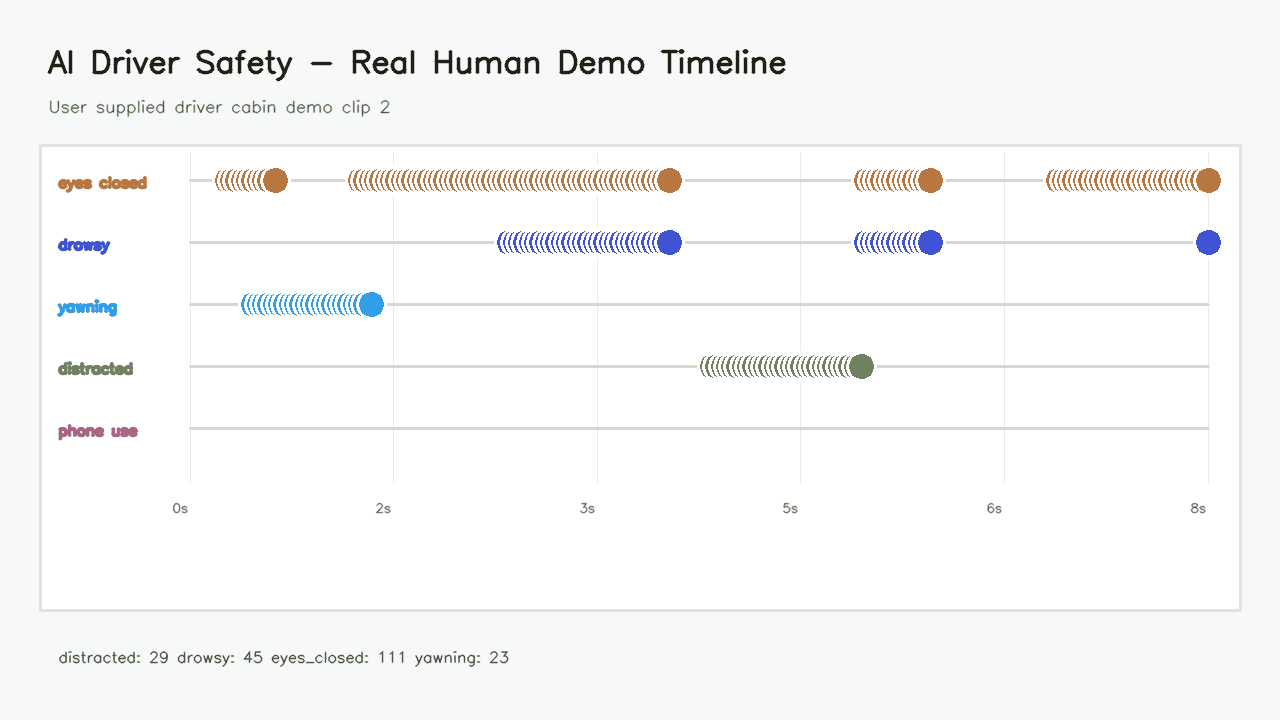
Event timeline
Timestamped drowsiness, yawning, eye-closure, distraction, and phone-use events.
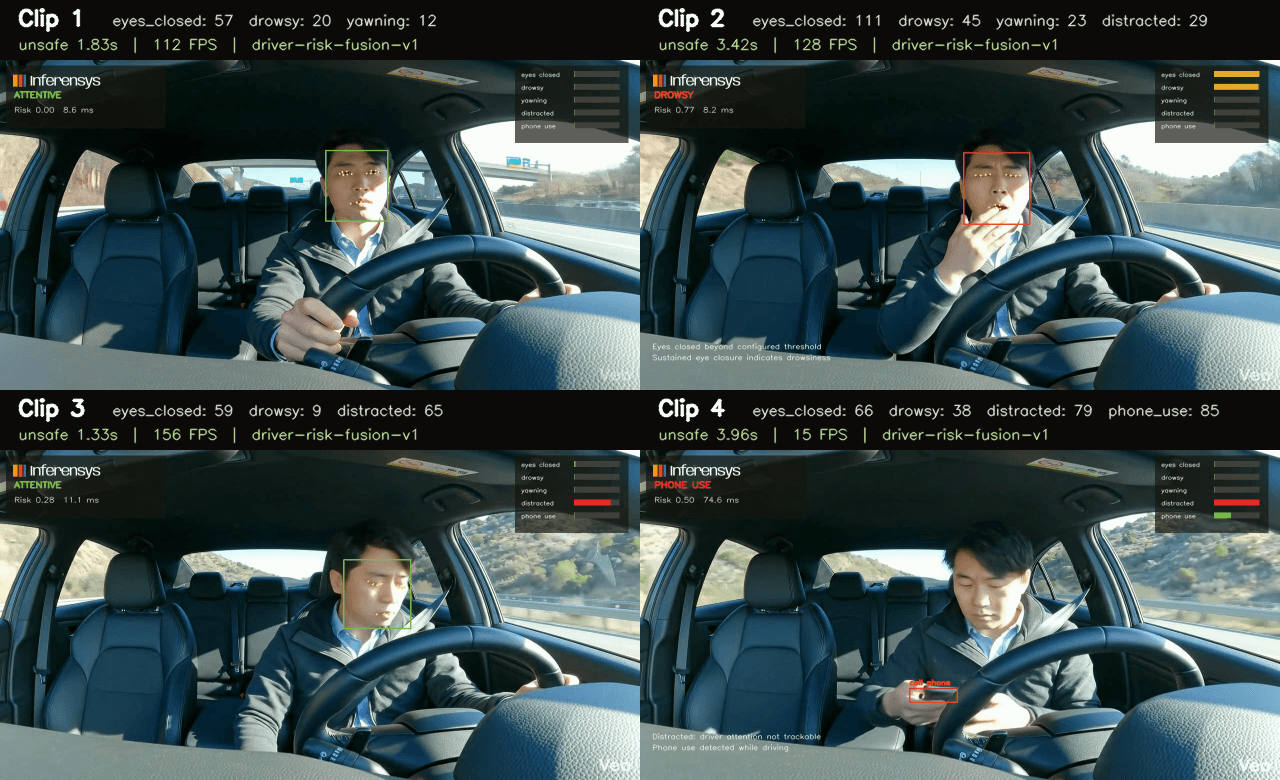
Batch summary
Event counts, confidence, duration, and runtime details across demo clips.
Phone use
Visible cell phone detection recorded as a phone_use event.
Pipeline
01
The runtime reads video or webcam frames and wraps each one as a typed FramePacket.
02
Face landmarks produce eye, mouth, head-position, and face-presence signals. ONNX adds phone detection.
03
Counters, thresholds, and cooldowns control event creation.
04
The scorer combines fatigue, distraction, sensor, and vehicle signals.
05
The system writes annotated media, DetectionEvent records, timeline data, summary JSON, CSV, and HTML reports.
Edge deployment
Runs locally with OpenCV and MediaPipe. Supports ONNX Runtime for object detection.
Baseline
The edge CPU profile processes every second frame and writes output at 15 FPS for local video or webcam demos.
Face
Runs the face landmark model locally.
Objects
Runs YOLO11 phone detection through ONNX Runtime.
Performance
Reports FPS, latency, runtime FPS, detector provider, and fusion model.
Tuning
Profiles cover default, edge CPU, night driving, and phone demo runs.
FAQ
Answers for teams evaluating drowsiness detection, distraction detection, phone-use detection, ADAS, and edge AI.
An AI driver monitoring system uses in-cabin sensors such as cameras and optional physiological or vehicle data to detect driver attention, fatigue, distraction, drowsiness, phone use, and readiness.
AI Driver Safety reads face landmarks for eye closure, mouth movement, head position, and face presence. It checks those signals over time before recording drowsiness, yawning, eye-closure, or distraction events.
Yes. The phone-use demo uses an ONNX YOLO11 detector to identify visible cell phones, records phone_use events, and includes them in the same safety timeline.
Yes. The project runs locally with OpenCV and MediaPipe on CPU, and it documents an ONNX Runtime path for object detection and edge accelerators.
It is research and demo software, not certified automotive safety software. It is suited for prototypes, demos, and workflow design before a production safety program.
Output gallery
Video, timeline, batch view, and phone-use detection screenshots.
Live monitor
Event timeline
Clip batch
Phone-use detection
Contact
Share what you are building, where you need help, and what needs to ship next. We will reply with the right next step.
01
NDA available
We can start under NDA when the work requires it.
02
Direct team access
You speak directly with the team doing the technical work.
03
Clear next step
We reply with a practical recommendation on scope, implementation, or rollout.
30m
working session
Direct
team access