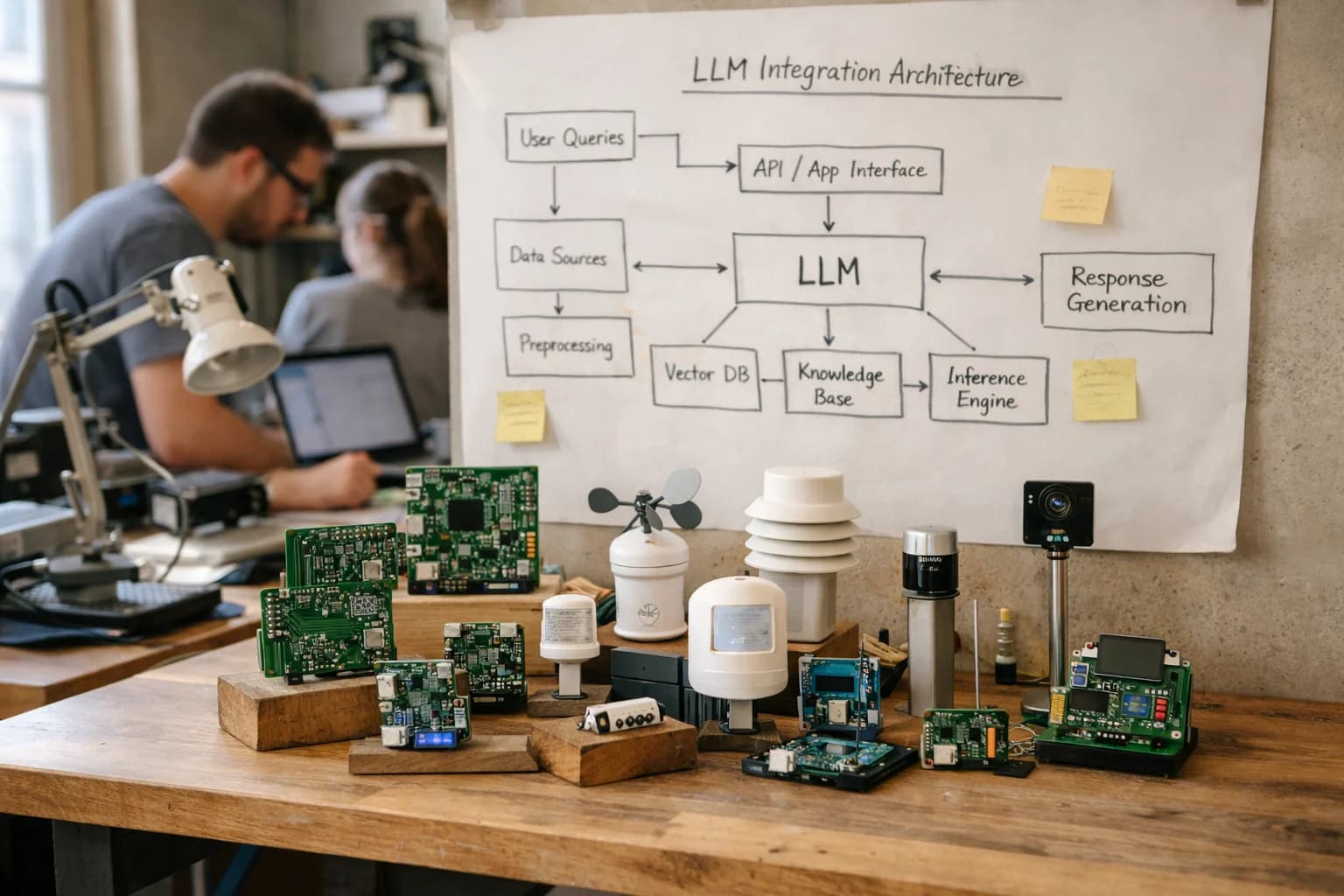
Move beyond descriptive dashboards. Integrate AI with UiPath Insights to generate predictive forecasts, explain anomalies, and recommend operational adjustments for your RPA program.
From Descriptive Dashboards to Predictive Operations
Move beyond static reports by integrating generative AI and predictive analytics directly into your UiPath Insights dashboards.
UiPath Insights provides a powerful descriptive layer, showing you what happened with your digital workforce—bot execution times, queue backlogs, and process outcomes. The integration layer connects this operational data to AI models that answer why it happened and what to do next. This involves feeding time-series data from the Orchestrator API—like Job execution logs, QueueItem metrics, and Process performance—into forecasting models to predict SLA breaches, identify emerging bottlenecks in RE-Framework processes, and simulate the impact of adding or rescheduling bot capacity.
Implementation centers on a lightweight middleware service that subscribes to Orchestrator webhooks and event logs. This service pre-processes the data, calls a mix of services: a time-series model (e.g., Prophet or Azure Anomaly Detector) for forecasts, and a hosted LLM (via a secure gateway) for narrative generation. The output is written back to a dedicated Insights dataset or a custom dashboard object, triggering alerts in Action Center for high-priority recommendations, such as "Queue 'InvoiceProcessing' is predicted to exceed 4-hour SLA; recommend adding 2 unattended bots from the development pool."
Rollout should be phased, starting with a single high-value process in a non-production Orchestrator folder. Governance is critical: all AI-generated recommendations should be logged with confidence scores and source data lineage in an audit table. Establish a human-in-the-loop review step in Action Center for the first 30-60 days to validate predictions and tune model thresholds. This creates a feedback loop where analyst approvals or overrides become training data, continuously improving the system's accuracy and operational trust.
ARCHITECTING PREDICTIVE ANALYTICS AND AUTONOMOUS NARRATIVES
Where AI Connects to UiPath Insights
AI-Powered Dashboards and KPIs
AI transforms static dashboards into interactive intelligence surfaces. Connect LLMs to your Insights data sources to generate natural-language explanations for KPI movements, such as "Bot throughput dropped 15% due to increased validation errors in the AP workflow." AI can also surface predictive metrics, forecasting next-week's automation demand or potential SLA breaches before they occur.
Implementation involves querying the Insights OData API for aggregated metrics, passing this structured data to an LLM with a prompt template for narrative generation, and writing the output back to a custom Insights widget or triggering an Orchestrator alert. This moves teams from monitoring to preemptive action.
FROM DESCRIPTIVE TO PRESCRIPTIVE ANALYTICS
High-Value AI Use Cases for UiPath Insights
Move beyond dashboards that show what happened to an intelligent system that explains why, forecasts what's next, and recommends actions. Integrate generative AI and predictive models directly into your UiPath Insights environment to transform operational data into automated insights.
01
Predictive Bot Failure & Performance Forecasting
Integrate time-series forecasting models (e.g., Prophet, ARIMA) with Insights data to predict bot failure rates, queue backlogs, and processing times for the next 24-72 hours. Workflow: Models consume Orchestrator logs and queue metrics via Insights APIs, output forecasts to a dedicated dashboard tile, and trigger alerts in Action Center for preemptive maintenance.
Reactive -> Proactive
Incident management
02
AI-Generated Executive & Operational Narratives
Use LLMs to automatically generate plain-language summaries of daily/weekly automation performance. Workflow: A scheduled bot queries Insights for KPI deltas, exception trends, and SLA adherence, structures the data into a prompt, and calls an LLM (via AI Center) to produce a narrative report emailed to leadership or posted to Teams.
30 min -> 2 min
Report generation
03
Root Cause Analysis & Bottleneck Explanation
Augment Insights drill-downs with AI that explains correlation and causation. Workflow: When an operator clicks on a spike in process duration within Insights, an integrated AI service analyzes concurrent system loads, recent deployment changes, and related error logs to suggest the most likely root cause, citing evidence from the data.
Hours -> Minutes
Diagnosis time
04
Prescriptive Resource Optimization
Deploy optimization algorithms that recommend dynamic bot scheduling and license allocation. Workflow: AI models analyze historical peak loads, business calendar events, and current license consumption from Insights to recommend optimal start/stop times for unattended bots and forecast license needs for the upcoming quarter.
5-15%
Potential license efficiency
05
Anomaly Detection in Process Metrics
Implement unsupervised ML models to detect subtle, emerging anomalies in bot execution that rule-based alerts miss. Workflow: Models continuously monitor metrics like step duration variance, retry rates, and data field values from Insights, flagging deviations from learned normal patterns for review in a dedicated Anomalies dashboard.
Batch -> Real-time
Detection mode
06
Automated Insight-to-Action Workflows
Close the loop by connecting AI-generated insights directly to remediation workflows. Workflow: An insight identifying a chronic failure in an SAP automation triggers a workflow that: 1) Creates a ticket in ServiceNow via Insights, 2) Drafts a diagnostic script for a developer, and 3) Recommends a temporary workaround bot via Action Center.
Same day
Time to remediation
PREDICTIVE INSIGHTS AND OPERATIONAL NARRATIVES
Example AI-Augmented Workflows
These workflows demonstrate how to integrate external AI models with UiPath Insights to move from descriptive dashboards to predictive analytics and AI-generated operational guidance. Each pattern connects Insights data to LLMs for reasoning, forecasting, and narrative generation.
Trigger: Scheduled Orchestrator job runs after peak processing hours.
Context Pulled: The workflow queries the Insights data warehouse for:
Bot execution logs and error rates from the last 7 days.
Queue backlog sizes and processing times.
Infrastructure metrics (CPU, memory) from the robot fleet.
Recent deployment history (new packages, version changes).
AI Action: A time-series forecasting model (e.g., Prophet) analyzes the data to predict failure probabilities for the next 24 hours. An LLM (like GPT-4) is then prompted with the forecast results and historical context to generate a narrative report.
System Update / Next Step: The AI-generated report is posted to a dedicated Slack/Teams channel for the automation COE and creates a high-priority alert in UiPath Action Center if the predicted failure rate for any critical process exceeds a defined threshold. The report includes:
Recommended actions (e.g., "Scale up additional robots for Process_X, review error logs for Application_Y").
Human Review Point: The Operations Lead reviews the Action Center alert and the narrative report to approve or modify the recommended scaling action before it is executed via Orchestrator APIs.
FROM ORCHESTRATOR LOGS TO PREDICTIVE INSIGHTS
Implementation Architecture: Data Flow & Model Orchestration
A production architecture for feeding UiPath Insights with AI-generated forecasts, narratives, and prescriptive recommendations.
The integration connects at the data ingestion layer of UiPath Insights. Your Orchestrator logs, process execution metrics, and queue data are streamed via the Insights Data Service API into a dedicated analytics environment. Here, we apply time-series forecasting models (like Prophet or neural networks) to key metrics—such as bot execution time, queue backlog, and exception rates—to predict future performance bottlenecks and resource constraints. These predictions are written back to a custom Insights dataset as new forecast records, enabling side-by-side comparison of actuals vs. predictions in your dashboards.
For narrative generation, a separate orchestration layer uses a governed LLM (like GPT-4 or Claude) to analyze aggregated daily or weekly performance data. The LLM is prompted with templated queries and your specific business context (e.g., "Summarize the top 3 causes of SLA breaches for the Invoice Processing queue last week and suggest one operational adjustment"). The generated natural-language insights—explaining trends, anomalies, and root causes—are then posted as annotations or text widgets directly into your Insights dashboards via the Insights REST API, turning raw data into actionable commentary for operations leaders.
Rollout is phased, starting with a single process or queue to validate forecast accuracy and narrative relevance. Governance is critical: all AI-generated content is stored with provenance metadata (model version, prompt hash, source data timestamp) in the analytics layer, and we implement a human review step for narratives before they are published to production dashboards. This architecture ensures Insights becomes not just a reporting tool, but a prescriptive operations cockpit that anticipates issues and guides corrective actions, all within the familiar UiPath ecosystem. For related patterns on governing these AI models within the UiPath platform, see our guide on AI Integration for UiPath AI Center.
INTEGRATING LLMS WITH INSIGHTS DATA
Code & Payload Examples
Forecasting Bot Failures & Bottlenecks
Use historical execution data from the Orchestrator_Jobs and Orchestrator_Queues datasets to train a model or prompt an LLM to predict future failures. The key is to join job logs with queue metrics and robot resource data to identify patterns preceding errors.
A common pattern is to query Insights for the last 30 days of job data, engineer features like queue_length, processing_time_trend, and concurrent_job_count, and pass a summary to an LLM for a narrative forecast and recommended actions.
python
# Example: Fetch data for predictive analysis
import pandas as pd
from uipath_orchestrator_api import JobsClient
# Query UiPath Insights via its SQL endpoint or API
query = """
SELECT
RobotName,
QueueName,
JobStatus,
StartTime,
EndTime,
ExecutionTimeSeconds,
ExceptionMessage
FROM Orchestrator_Jobs
WHERE StartTime >= DATEADD(day, -30, GETDATE())
"""
# Execute query, load into DataFrame
df_jobs = execute_insights_query(query)
# Feature engineering
df_jobs['hour_of_day'] = pd.to_datetime(df_jobs['StartTime']).dt.hour
df_jobs['failure_flag'] = df_jobs['JobStatus'].apply(lambda x: 1 if x == 'Failed' else 0)
# Aggregate to robot-queue-hour level for model input
agg_features = df_jobs.groupby(['RobotName', 'QueueName', 'hour_of_day']).agg({
'failure_flag': 'mean',
'ExecutionTimeSeconds': ['mean', 'std', 'count']
}).reset_index()
AI-POWERED INSIGHTS
Realistic Time Savings & Operational Impact
How integrating predictive AI and generative narratives with UiPath Insights transforms operational oversight from reactive reporting to proactive management.
Metric
Before AI
After AI
Notes
Bottleneck Identification
Manual analysis of dashboard trends
AI-generated alerts with root-cause suggestions
Reduces analyst investigation time from hours to minutes
Performance Forecast
Static, historical trend reports
Predictive forecasts for bot success rates & queue times
Enables capacity planning 1-2 weeks in advance
Exception Report Generation
Manual compilation of weekly summaries
Automated, narrative-driven insights for stakeholder reviews
Provides data-backed hypotheses for developer sprints
Anomaly Detection
Threshold-based alerts for SLA breaches
Pattern-based detection of subtle performance drift
Identifies issues before they impact service levels
Operational Readout Creation
Copying/pasting metrics into slide decks
Dynamically generated executive summaries with key takeaways
Delivers same-day insights instead of next-day reports
License & Resource Optimization
Periodic review of Orchestrator utilization reports
AI-driven recommendations for bot scheduling & license reallocation
Aims to improve resource efficiency by 10-15%
PRODUCTION ARCHITECTURE FOR PREDICTIVE ANALYTICS
Governance, Security & Phased Rollout
Deploying AI for UiPath Insights requires a secure, governed architecture that aligns with IT operations and scales from pilot to production.
A production integration connects your UiPath Orchestrator and Insights data warehouse to an external AI inference layer via secure APIs. The core pattern involves: 1) Scheduled data extraction of key performance indicators (KPIs), bot queue metrics, and process execution logs from the Insights data store; 2) Secure API calls to your chosen LLM provider (OpenAI, Anthropic, Azure OpenAI) or a private model endpoint, passing anonymized or pseudonymized datasets; 3) Post-processing where the AI-generated narrative—forecasting a performance dip or identifying a bottleneck root cause—is written back to a dedicated Insights dataset or a custom dashboard widget. All credentials are managed in Orchestrator's Asset Manager, and API calls are routed through your corporate gateway with strict rate limiting and audit logging.
Governance is critical for predictive analytics. We recommend implementing a human-in-the-loop review for the first 30-90 days, where AI-generated recommendations (e.g., 'Increase MainQueue processing capacity by 15%') are presented in an Action Center queue for a Center of Excellence lead to approve before any automated adjustment is made. This builds trust and creates a feedback loop to refine prompts. All AI interactions should be logged in a separate audit table within Insights, capturing the input data snapshot, the prompt used, the full model response, and the eventual business action taken. This traceability is essential for model drift detection, compliance, and demonstrating ROI.
A phased rollout mitigates risk and proves value incrementally. Phase 1 (Pilot): Focus on a single, high-impact dashboard—like Bot Failure Analysis—and use AI to generate weekly narrative summaries explaining failure clusters. This runs in a isolated environment. Phase 2 (Expansion): Integrate AI predictions into the Process Mining pipeline, using AI to recommend automation candidates from discovered processes. Implement alerting when AI confidence scores drop below a threshold. Phase 3 (Production): Enable real-time, AI-powered anomaly detection on core throughput metrics, with automated tickets created in your ITSM platform (e.g., ServiceNow) when a predicted bottleneck exceeds a severity threshold. Each phase includes a security review, performance load testing against the Insights database, and stakeholder training.
Why Inference Systems for this integration? We architect these systems to be operational first. We don't just connect an API; we design for the full lifecycle: secure credential management, cost-controlled API usage, prompt versioning in UiPath AI Center, fallback mechanisms for AI service outages, and clear rollback procedures. Our approach ensures your AI-enhanced Insights become a reliable, governed source of operational intelligence, not an experimental feature. Explore our related guide on operationalizing custom models within UiPath AI Center for deeper model management patterns.
Enabling Efficiency, Speed & Accuracy
Intelligent Analysis, Decision & Execution
We build AI systems for teams that need search across company data, workflow automation across tools, or AI features inside products and internal software.
AI + UiPath Insights
Frequently Asked Questions
Practical questions for teams planning to integrate predictive AI and generative narratives into UiPath Insights dashboards.
AI models integrate via the UiPath Insights API or by accessing the underlying data warehouse (e.g., Snowflake, Azure SQL, Databricks) that Insights uses. Common patterns include:
API-Based Predictions: A scheduled process calls your hosted AI model via a secure API (e.g., Azure ML, SageMaker endpoint, custom container). The model receives aggregated bot performance data (queue lengths, processing times, failure rates) and returns forecasts or anomaly scores, which are written back to a custom table in the Insights data model via the API.
In-Database Scoring: For very low-latency needs, you can deploy models (like ONNX) directly within your cloud data warehouse and use SQL functions or stored procedures to generate predictions on the fly as new data lands.
Narrative Generation: An orchestration service (like an Azure Function or UiPath robot) queries Insights for a time period, passes the KPIs to an LLM (OpenAI, Anthropic) with a structured prompt, and posts the generated narrative summary to a dedicated dashboard tile or a Slack/Teams channel.
Key Consideration: Ensure your AI service has the necessary network access (VPC, private endpoint) to communicate with your Insights instance or its data store.
About the author
Prasad Kumkar
CEO & MD, Inference Systems
Prasad Kumkar is the CEO & MD of Inference Systems and writes about AI systems architecture, LLM infrastructure, model serving, evaluation, and production deployment. Over 5+ years, he has worked across computer vision models, L5 autonomous vehicle systems, and LLM research, with a focus on taking complex AI ideas into real-world engineering systems.
His work and writing cover AI systems, large language models, AI agents, multimodal systems, autonomous systems, inference optimization, RAG, evaluation, and production AI engineering.
Partnered with leading AI, data, and software stack.
How We Work
Custom AI workflows for your Business
One-fit-all AI don't work for modern businesses. At Inferensys, we aim to understand your business & custom requirements; which we use to define most efficient agentic workflows, the data, and the tools for your business.
The first call is a practical review of your use case and the right next step.