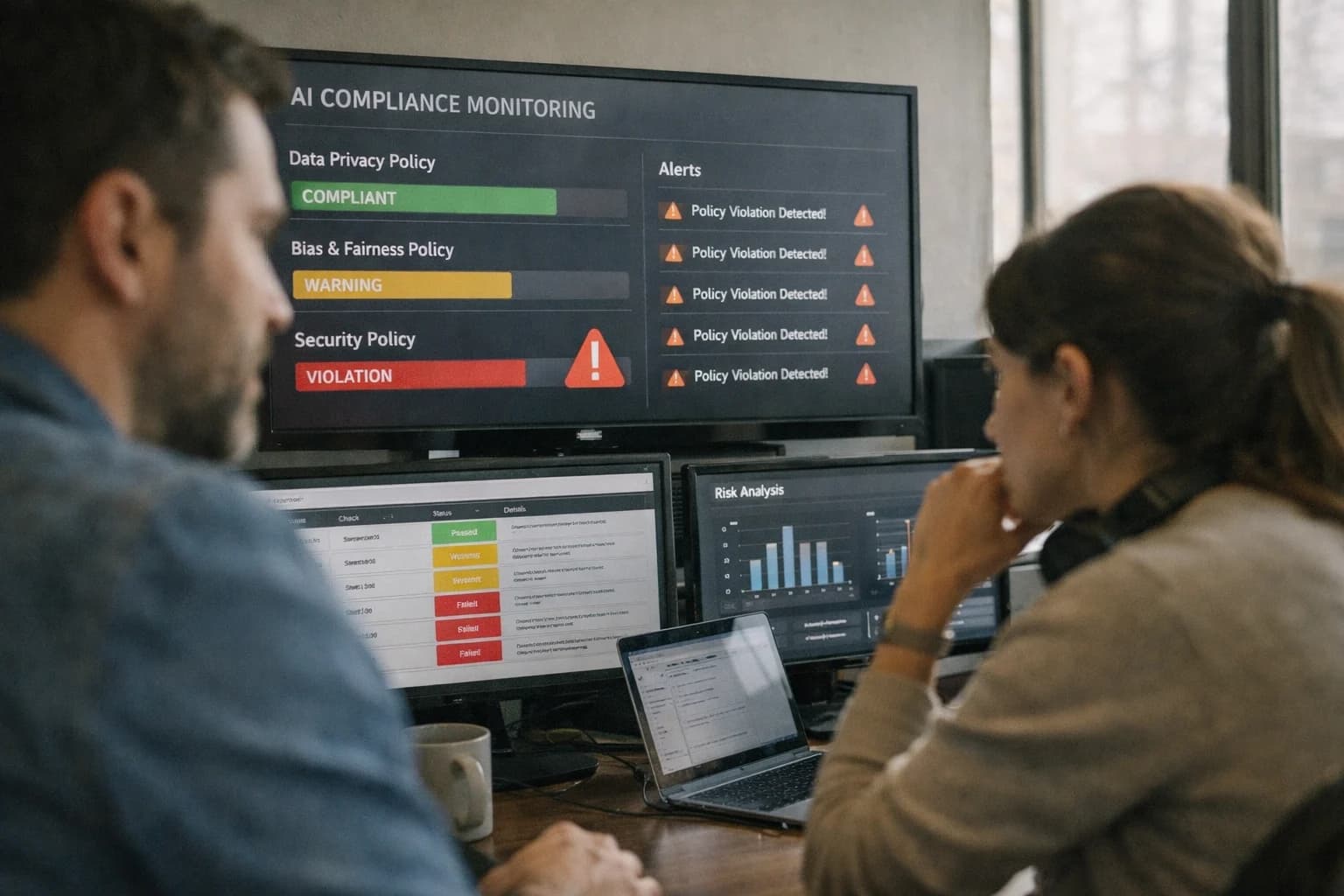
Use AI to analyze Power Automate Process Advisor recordings, automatically tag process variations, highlight compliance deviations, and recommend specific flow templates for automation.
AI transforms Process Advisor from a passive recorder into an active analyst, automating the discovery and scoping of automation opportunities.
Power Automate Process Advisor captures user interactions across desktop and web applications, generating a process map. This raw event log—detailing clicks, keystrokes, and navigation paths—is the primary data source for AI integration. The integration layer sits between the recorded sessions and the Process Advisor analytics dashboard, applying AI to analyze the process variations, compliance deviations, and automation potential that are otherwise buried in the data.
The core AI workflows focus on three operational surfaces:
Process Variation Tagging: An LLM analyzes session metadata and step descriptions to automatically tag recordings with standardized process names (e.g., "New Vendor Setup" vs. "Supplier Onboarding") and flag significant deviations from a discovered norm.
Compliance & Policy Highlighting: A rules engine augmented with NLP scans for sequences that may violate SOPs (e.g., missing approval steps, accessing restricted data) and surfaces them for review in the Process Advisor interface.
Automation Template Recommendation: By correlating recorded steps with the Power Automate connector library and flow templates, an AI model suggests specific, pre-built cloud flows or desktop flows that could automate the discovered process, complete with estimated effort and complexity scores.
A production rollout follows a phased governance model. Initially, AI runs in a "shadow mode," analyzing recordings and generating recommendations that are presented alongside human analyst notes for validation. This builds trust in the AI's tagging and scoring logic. Once calibrated, the system can be configured to auto-prioritize the Process Advisor backlog, pushing high-confidence, high-ROI processes to the top of the automation queue. Governance is maintained through the Process Advisor's existing review workflows, ensuring AI-generated insights are gated by human approval before triggering any automation development.
ARCHITECTURE BLUEPRINTS
AI Integration Points in Process Advisor
Automating Process Step Tagging
Process Advisor captures user interactions across desktop and web applications. AI can analyze these recordings to automatically identify and tag process steps, variations, and deviations from standard operating procedures.
Key integration surfaces include:
Recording Metadata: Inject AI to parse window titles, application names, and UI control types to infer the task being performed (e.g., "entering invoice data into SAP").
Action Classification: Use a lightweight model to classify clicks, keystrokes, and drags into business-relevant actions like "Data Entry," "Approval," or "Validation."
Variation Detection: Compare recorded flows against a library of known process maps to flag outliers, such as an employee skipping a mandatory compliance check.
This moves analysis from manual review to automated insight generation, turning hours of video into structured, queryable process data.
INTELLIGENT PROCESS OPTIMIZATION
High-Value AI Use Cases for Process Advisor
Transform raw process recordings into actionable automation blueprints. Use AI to analyze Power Automate Process Advisor data, automatically identify variations, surface compliance risks, and recommend specific flow templates to accelerate your automation pipeline.
01
Automated Process Variation Tagging
Use LLMs to analyze screen recordings and log data, automatically tagging steps as standard, exception, or deviation. Categorize variations by root cause (user error, system latency, data issue) to prioritize fixes and training.
Batch -> Real-time
Analysis speed
02
Compliance & Control Deviation Detection
Cross-reference recorded workflows against documented SOPs or control frameworks. AI flags steps where users bypass required approvals, skip data validation, or deviate from mandated sequences, generating audit-ready exception reports.
Same day
Risk identification
03
Intelligent Automation Candidate Scoring
Move beyond simple frequency/ROI scoring. AI evaluates process complexity, system stability, data structure, and exception patterns to predict automation feasibility and maintenance cost, ranking opportunities for developer teams.
1 sprint
Scoping acceleration
04
Flow Template & Component Recommendation
Analyze the application context, data patterns, and UI elements in recordings to suggest pre-built Power Automate templates, custom connectors, or AI Builder models that match the discovered process, reducing initial build time.
Hours -> Minutes
Template matching
05
Natural Language Process Documentation
Automatically generate human-readable process descriptions, swimlane diagrams, and RPA developer briefs from recorded sessions. Summarize the 'as-is' process, key decision points, and system touchpoints for stakeholder review.
06
Predictive Bottleneck & Friction Analysis
Apply ML to timestamped activity data to identify subtle bottlenecks—repeated corrections, slow application responses, or context-switching—that traditional mining misses. Forecast automation impact on cycle time and user fatigue.
FROM RECORDING TO RECOMMENDATION
Example AI-Augmented Workflows
These workflows illustrate how generative AI can transform passive process recordings from Power Automate Process Advisor into active intelligence, automating analysis, generating insights, and recommending concrete automation steps.
Trigger: A new process recording is uploaded to or completed within Power Automate Process Advisor.
Context/Data Pulled: The raw recording metadata (user, application, timestamp) and the sequence of UI actions (clicks, keystrokes, navigations) are extracted.
Model/Agent Action: A fine-tuned LLM analyzes the action sequence against a library of known process variants (e.g., "Standard Quote Creation," "Quote with Manual Discount," "Quote with Product Exception"). The model:
Classifies the recording into the most likely variant.
Tags each step with its purpose (e.g., data_entry, validation, approval_lookup).
Generates a narrative summary highlighting deviations from the standard path, potential compliance gaps, and time spent on manual data transfers.
System Update/Next Step: The AI-generated tags, variant classification, and summary are written back to the Process Advisor recording as custom metadata. An alert is sent to the process excellence team if a high-frequency, non-compliant variant is detected.
Human Review Point: The process owner reviews the AI-generated summary and tags for accuracy before using them to update official process documentation.
FROM RECORDING TO RECOMMENDATION
Implementation Architecture & Data Flow
A practical blueprint for integrating AI with Power Automate Process Advisor to transform process recordings into actionable automation insights.
The integration connects at two key layers within the Microsoft Power Platform ecosystem. First, AI models consume the structured process data and user interaction recordings captured by Process Advisor. This includes UI element metadata, click paths, application names, and timestamps. Second, the system writes AI-generated insights—such as tagged variations, compliance flags, and flow template recommendations—back into Dataverse tables linked to the original recording, making them available within the Process Advisor interface, Power BI dashboards, and automation project backlogs in DevOps or Azure Boards.
A typical implementation uses a serverless architecture for scalability and cost-efficiency. Process Advisor recordings trigger an Azure Logic App or a Power Automate cloud flow via a webhook. This flow packages the recording data and sends it to an orchestration layer, often an Azure Function, which coordinates calls to various AI services: a large language model (LLM) for natural language analysis of step descriptions, a clustering model to group similar process variants, and potentially a rules engine to check for compliance deviations against a defined policy library. The results are then stored, and notifications are sent to process owners via Microsoft Teams or email for review.
Rollout focuses on a phased, use-case-driven approach. Start with a single high-volume process (e.g., 'New Vendor Setup' or 'Customer Refund Approval') to validate the data quality from Process Advisor and tune the AI's tagging logic. Governance is critical; implement a human-in-the-loop review step where process analysts confirm AI-generated tags and recommendations in a Power Apps canvas app before they become official. This creates a feedback loop to improve the models and ensures the integration augments—rather than replaces—subject matter expertise, leading to reliable automation candidates that developers can confidently build into Power Automate flows or desktop RPA scripts.
AI-ENHANCED PROCESS ANALYSIS
Code & Payload Examples
Automatically Classify Process Deviations
Use an LLM to analyze Process Advisor recordings and tag variations against a standard operating procedure (SOP). This example calls an AI service to compare a recorded step sequence to a known ideal path, returning a structured classification.
This structured output can be written back to Process Advisor as custom metadata or trigger a flow template recommendation.
AI-ENHANCED PROCESS ANALYSIS
Realistic Time Savings & Operational Impact
How AI integration transforms the analysis of Power Automate Process Advisor recordings, moving from manual review to automated insight generation and action.
Process Step
Before AI
After AI
Key Impact
Process Variation Identification
Manual review of recordings to spot differences
AI automatically tags variations and clusters similar deviations
Analyst review time reduced from hours to minutes per process
Compliance & Policy Deviation Detection
Periodic manual audits against documented SOPs
Continuous AI monitoring flags policy breaches in real-time
Shift from reactive audit findings to proactive compliance alerts
Automation Opportunity Scoring
Subjective prioritization based on volume/frequency
AI scores and ranks steps by complexity, ROI, and automation readiness
Focus automation efforts on highest-value, most feasible candidates
Flow Template Recommendation
Manual mapping of recorded steps to existing templates
AI suggests specific Power Automate flow templates with confidence scores
Accelerates development kickoff; reduces template search time by 70-80%
Process Documentation Drafting
Analyst manually writes process descriptions from recordings
AI generates first-draft documentation, including step descriptions and screenshots
Documentation cycle time reduced from days to same-day
Bottleneck & Inefficiency Analysis
Manual calculation of wait times and rework loops
AI highlights statistical outliers in duration, handoffs, and rework rates
Uncovers hidden inefficiencies often missed in manual review
Cross-User Process Standardization
Manual comparison of recordings from multiple users
AI identifies and reports on the 'golden path' vs. individual user deviations
Enables targeted training and process harmonization in weeks, not months
Impact Reporting for Stakeholders
Manual creation of PowerPoint decks with screenshots
AI auto-generates summary reports with key metrics, visuals, and recommendations
Enables weekly, data-driven review cycles instead of quarterly
PRODUCTION IMPLEMENTATION
Governance, Security & Phased Rollout
A practical guide to deploying AI for Process Advisor with control, compliance, and measurable impact.
A production AI integration for Power Automate Process Advisor must operate within Microsoft's existing security model while adding new layers of governance. This means authenticating AI service calls via Azure Active Directory-managed identities, storing analysis outputs within your Azure tenant (e.g., in Azure SQL or Cosmos DB), and ensuring all data in transit to external LLM APIs is encrypted. Process recordings, which contain sensitive UI metadata and potentially confidential data, should be pseudonymized before analysis, with PII redaction applied as a pre-processing step. Access to the AI-generated insights—like compliance deviation tags or automation recommendations—should be controlled via the same Azure RBAC groups that govern access to Process Advisor itself, ensuring only authorized process owners and automation developers can view the results.
A phased rollout is critical for managing change and proving value. Start with a pilot focused on a single, well-understood business process (e.g., 'New Vendor Setup' or 'Customer Refund Approval'). In Phase 1, configure the AI to analyze recordings and generate tags for process variations and compliance steps, but keep the human analyst fully in the loop for review and validation within the Process Advisor interface. This builds trust in the AI's accuracy. Phase 2 introduces automated recommendation of specific Power Automate cloud flow templates, surfacing them as actionable suggestions next to the process map. Finally, Phase 3 can establish a feedback loop where user corrections to AI-generated tags are used to fine-tune the underlying models, creating a continuously improving system.
Governance extends to the AI models themselves. For LLM calls, implement prompt versioning and logging to track what instructions were sent for each process analysis. Use Azure AI Content Safety or similar filters to screen outputs. Establish a clear audit trail linking an AI-generated insight (e.g., 'Step 7 missing compliance check') back to the original process recording and the user who acted on it. Rollout should be accompanied by change management: train process analysts on how to interpret AI-generated tags and recommendations, and educate automation developers on how to consume the structured output to accelerate flow creation. This controlled, incremental approach de-risks the integration and turns Process Advisor from a diagnostic tool into an intelligent automation catalyst.
Enabling Efficiency, Speed & Accuracy
Intelligent Analysis, Decision & Execution
We build AI systems for teams that need search across company data, workflow automation across tools, or AI features inside products and internal software.
IMPLEMENTATION AND ARCHITECTURE
Frequently Asked Questions
Common technical and strategic questions about integrating AI with Power Automate Process Advisor to automate process analysis, variation detection, and template recommendations.
AI integration typically connects via the Power Automate API and Power Platform Dataverse. The architecture involves:
Data Extraction: A scheduled cloud flow or Azure Function retrieves process recording metadata and event logs from Process Advisor via the Processes and Recordings APIs.
Context Enrichment: The raw clickstream and timing data is enriched with contextual information from connected systems (e.g., SAP transaction codes from logged screens, CRM record types).
AI Processing: This enriched dataset is sent to an AI service (like Azure OpenAI) via a secure API call. Common analysis tasks include:
Clustering to identify process variants.
Natural Language Processing to tag steps based on UI text and inferred intent.
Anomaly Detection to flag deviations from a golden process.
System Update: Results (tags, variant groups, deviation flags) are written back to custom tables in Dataverse, linked to the original recording IDs.
Recommendation Engine: A separate flow uses these AI-generated insights to query a library of Power Automate cloud flow templates and suggest relevant automations.
Key security consideration: All API calls must use service principals with least-privilege access, and any data sent to external AI services should be scrubbed of PII.
About the author
Prasad Kumkar
CEO & MD, Inference Systems
Prasad Kumkar is the CEO & MD of Inference Systems and writes about AI systems architecture, LLM infrastructure, model serving, evaluation, and production deployment. Over 5+ years, he has worked across computer vision models, L5 autonomous vehicle systems, and LLM research, with a focus on taking complex AI ideas into real-world engineering systems.
His work and writing cover AI systems, large language models, AI agents, multimodal systems, autonomous systems, inference optimization, RAG, evaluation, and production AI engineering.
Partnered with leading AI, data, and software stack.
How We Work
Custom AI workflows for your Business
One-fit-all AI don't work for modern businesses. At Inferensys, we aim to understand your business & custom requirements; which we use to define most efficient agentic workflows, the data, and the tools for your business.
The first call is a practical review of your use case and the right next step.