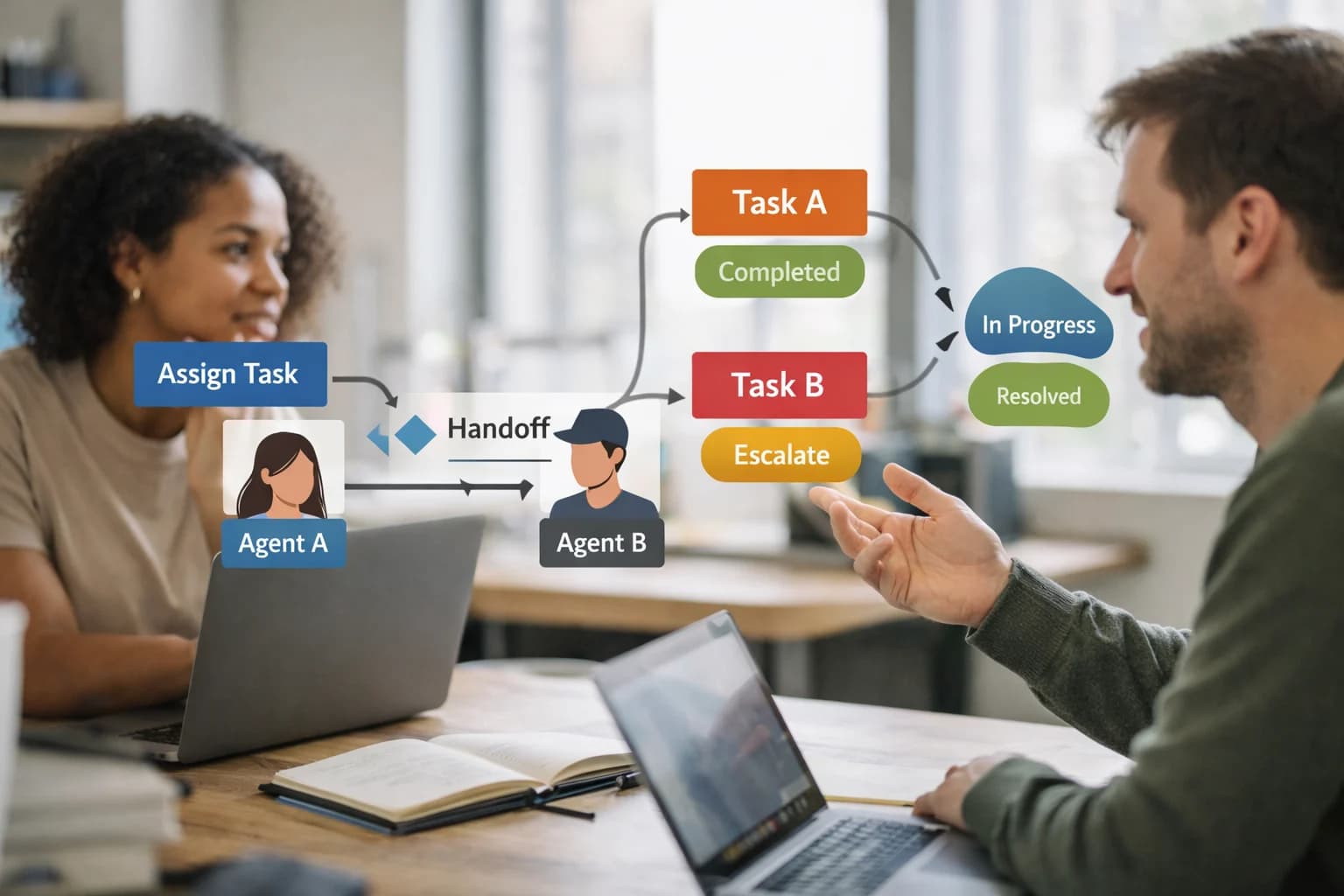
A technical blueprint for automating enrollment analysis, personalized student communication, and academic pathway recommendations using AI agents integrated directly with Canvas, Moodle, Blackboard, and Brightspace APIs.
Where AI Fits in LMS Enrollment and Student Communication
A technical blueprint for using AI to automate high-volume enrollment workflows and personalize student communications within Canvas, Moodle, Blackboard, and Brightspace.
AI integration targets specific LMS surfaces to reduce manual workload for registrars and admins. Key connection points include the Enrollment API (for adding/dropping students from courses), the User/Profile API (for accessing student data and communication preferences), and the Messaging/Conversations API (for sending in-system notifications and emails). AI agents can be triggered by enrollment events via webhooks or scheduled jobs to execute communication cascades, analyze waitlist trends, or flag potential schedule conflicts before they become manual support tickets.
A production implementation typically involves a middleware layer that sits between the SIS (like Banner or PowerSchool) and the LMS. This layer uses the LMS APIs to: 1) Ingest real-time enrollment data, 2) Process it with AI models for trend analysis (e.g., predicting course demand) or personalization logic (e.g., recommending alternative sections based on a student's major), and 3) Execute automated actions like sending a personalized welcome message via the Conversations API or posting a tailored announcement in the newly enrolled course. This turns a multi-day, manual process of roster verification and communication into a same-day, automated workflow.
Rollout requires careful governance. Start with a pilot for a single department or enrollment period, using the LMS's audit logs to track all AI-initiated API calls. Implement a human-in-the-loop approval step for critical communications (like pathway recommendations) before they are sent, which can be managed through a simple dashboard that pulls pending actions from a queue. This controlled approach mitigates risk while demonstrating value, allowing you to scale the integration to handle peak registration periods across the entire institution.
ARCHITECTURAL BLUEPRINT
LMS APIs and Touchpoints for Enrollment & Communication AI
Key API Endpoints for Enrollment Automation
To inject AI into the enrollment lifecycle, integration targets the core RESTful APIs that manage users, courses, and sections. The primary surfaces are:
User Provisioning APIs: Create, update, and deactivate student and instructor accounts. AI can use these to automate account setup for new admits or sync changes from the SIS.
Course and Section APIs: Retrieve course catalogs, create sections, and manage enrollments. AI models analyzing demand can call these to recommend new section openings or optimize seat allocation.
Enrollment APIs: Directly add/drop students via POST /api/v1/courses/:course_id/enrollments. An AI agent handling waitlist management or prerequisite overrides would orchestrate these calls.
Implementation Note: Webhooks from the SIS (like Banner or PowerSchool) often trigger the initial enrollment event. Your AI service should listen for these webhooks, process the data (e.g., check for schedule conflicts, recommend optimal course load), and then use the LMS APIs to execute the enrollment or trigger a communication cascade.
FOR REGISTRARS AND ACADEMIC ADMINS
High-Value AI Use Cases for Enrollment Operations
Integrate AI directly into Canvas, Moodle, Blackboard, and Brightspace to automate manual communication, personalize student pathways, and analyze enrollment trends using LMS APIs and webhooks.
01
Automated Enrollment Communication Cascades
Use AI to trigger and personalize multi-step communication sequences via the LMS messaging API (e.g., Canvas Conversations, Moodle messaging). Automates welcome emails, deadline reminders, and prerequisite checks based on enrollment status changes, reducing manual outreach from days to hours.
Days -> Hours
Outreach timeline
02
Personalized Pathway Recommendations
During registration periods, an AI agent analyzes a student's academic history (via SIS/LMS data APIs), declared interests, and course demand to generate personalized course suggestions. Outputs are injected into the student portal or registration module via LTI or custom activity blocks.
Batch -> Real-time
Recommendation mode
03
Enrollment Trend Analysis & Capacity Forecasting
Connect AI to LMS data exports (Canvas Data, Moodle log tables) and the SIS to analyze historical enrollment patterns. Predict course demand, identify under-enrolled sections for consolidation, and generate capacity reports for department chairs—automating a manual, spreadsheet-heavy process.
1 sprint
Report generation
04
Prerequisite & Hold Verification Workflow
AI automates the review of student records for registration blocks (financial holds, missing prerequisites) by calling SIS and LMS APIs. It can initiate resolution workflows—like routing students to an advisor via ticketing—or send targeted instructions, reducing registrar ticket volume.
Hours -> Minutes
Verification time
05
Waitlist Management & Alternative Sectioning
An AI agent monitors LMS/SIS waitlists in real-time. When a seat opens, it instantly notifies the next eligible student via LMS messaging. If a section is full, it suggests similar open sections or tracks demand to trigger the creation of a new section, optimizing seat utilization.
Same day
Student notification
06
Cross-Platform Enrollment Data Sync
Orchestrate reliable data flow between the LMS, SIS (like Banner or PowerSchool), and external systems (housing, billing). An AI layer monitors sync jobs via API, detects and reconciles mismatches (e.g., dropped students still in course), and alerts admins to exceptions, ensuring a single source of truth.
Batch -> Real-time
Sync intelligence
PRACTICAL IMPLEMENTATION PATTERNS
Example AI-Powered Enrollment and Communication Workflows
These workflows demonstrate how to connect AI agents to your LMS's core APIs—specifically the Enrollment, User, and Communication endpoints—to automate high-volume tasks, personalize outreach, and provide data-driven guidance to students and staff.
Trigger: A student is added to a course waitlist via the LMS Enrollment API (e.g., POST /api/v1/courses/:course_id/waitlist).
Context/Data Pulled: The agent retrieves:
Student's academic history (past courses, grades, declared major/minor) from the SIS via integration.
Current enrollment numbers and seat availability for the target course and its alternative sections.
The student's preferred contact method and communication history from the LMS User API.
Model or Agent Action: An LLM analyzes the student's profile against course prerequisites, degree requirements, and historical success rates. It generates a personalized message and determines the optimal action:
If a seat opens: Automatically enrolls the student via API and sends a confirmation message.
If unlikely to get a seat: Recommends 2-3 alternative courses that fulfill the same requirement, with rationale.
System Update/Next Step: The agent uses the LMS Conversations API (e.g., Canvas /api/v1/conversations) to send the tailored message directly to the student's LMS inbox. It also logs the recommendation and action in a central audit table for the registrar's review.
Human Review Point: The registrar's dashboard flags any student who receives an alternative recommendation but takes no action within 72 hours for manual follow-up.
ARCHITECTING AI-DRIVEN ENROLLMENT OPERATIONS
Implementation Architecture: Data Flow, APIs, and Guardrails
A production-ready integration connects AI models to the LMS data layer and messaging APIs to automate communication and personalize pathways.
The integration architecture centers on the LMS's core data objects and APIs. For enrollment workflows, the AI agent primarily interacts with the Course, Section, Enrollment, and User objects via the platform's RESTful web services (e.g., Canvas API, Moodle web service, Blackboard REST APIs, Brightspace Valence). A scheduled job or webhook listener monitors for key enrollment events—such as a student adding/dropping a course, a waitlist change, or a section reaching capacity—and triggers the AI workflow. The agent ingests this real-time data alongside historical enrollment trends, student academic records (via secure SIS sync), and declared interests to generate personalized recommendations and communication triggers.
The communication cascade is executed through the LMS's native messaging APIs (e.g., Canvas Conversations API, Moodle message_send web service) to ensure messages appear within the platform's inbox, maintaining a consistent student experience. For high-touch pathways, the system can orchestrate multi-step sequences: an initial AI-drafted welcome message upon enrollment, a follow-up with personalized resource links based on the student's major, and a final nudge before the add/drop deadline if risk factors are detected. All AI-generated communications are logged as system messages with a clear audit trail, and content passes through configurable guardrails to ensure tone and compliance standards are met before sending.
Rollout requires a phased, governance-first approach. Start with a pilot for a single department or course category, using a human-in-the-loop approval step for all AI-generated communications. This allows registrars and admins to review and refine prompts before scaling. Key guardrails include: rate limits on API calls to the LMS to prevent system overload, RBAC ensuring only authorized admin roles can modify AI agent rules, and a fallback to standard, pre-approved messaging templates if the AI service is unavailable. The final architecture should treat the AI layer as a stateless orchestration service, sitting between the LMS and any external data sources, ensuring the LMS remains the system of record while gaining intelligent automation.
AI ENROLLMENT AND COMMUNICATION WORKFLOWS
Code and Payload Examples for LMS API Integration
Analyzing Enrollment Data with Python
Use the LMS Data Export or REST API to pull historical enrollment and course catalog data for predictive modeling. This script fetches course-level data, engineers features (e.g., time of day, prerequisites, instructor), and uses a simple model to forecast demand.
python
import requests
import pandas as pd
from sklearn.ensemble import RandomForestRegressor
# Example: Fetch course enrollment data from Canvas API
api_base = "https://<your-institution>.instructure.com/api/v1"
headers = {"Authorization": "Bearer <API_TOKEN>"}
# Get courses from a specific term
term_id = "2024F"
response = requests.get(f"{api_base}/accounts/self/courses?enrollment_term_id={term_id}", headers=headers)
courses = response.json()
# Transform to DataFrame for analysis
df = pd.DataFrame([{
'course_id': c['id'],
'name': c['name'],
'total_students': c['total_students'],
'start_at': c['start_at']
} for c in courses if 'total_students' in c])
# Add feature engineering (simplified)
df['start_month'] = pd.to_datetime(df['start_at']).dt.month
df['name_length'] = df['name'].str.len()
# Train a simple model to predict enrollment
X = df[['start_month', 'name_length']]
y = df['total_students']
model = RandomForestRegressor().fit(X, y)
# Predict for new courses
new_course_features = [[9, 45]] # Example: September start, 45-char name
predicted_enrollment = model.predict(new_course_features)
print(f"Predicted enrollment: {int(predicted_enrollment[0])}")
This analysis helps registrars anticipate high-demand courses and plan for section additions or waitlist management, feeding directly into communication workflows.
AI-ENHANCED ENROLLMENT OPERATIONS
Realistic Operational Impact and Time Savings
This table compares manual, high-friction enrollment workflows against AI-assisted processes that leverage LMS messaging APIs and data analysis to reduce administrative burden and improve student experience.
Workflow / Task
Manual Process (Before AI)
AI-Assisted Process (After AI)
Implementation Notes & Impact
Enrollment trend analysis & capacity forecasting
Monthly manual spreadsheet analysis, often reactive
Weekly automated dashboard with predictive alerts
Shifts from reactive to proactive planning; identifies at-risk courses 3-4 weeks earlier.
Communication cascade for waitlisted students
Manual email/SMS blasts, prone to errors and delays
Automated, personalized messaging via LMS API based on real-time status
Reduces communication lag from 1-2 days to same-day; ensures consistent, audit-ready messaging.
A practical guide to deploying AI-driven enrollment and communication workflows with secure data handling and controlled rollout.
Production implementations treat the LMS as the system of record, with the AI layer acting as a stateless orchestrator. The integration typically connects to the LMS Data APIs (e.g., Canvas Data, Moodle web services) for batch analysis of historical enrollment trends, and to the Messaging APIs (e.g., Canvas Conversations, Moodle messaging) for outbound communications. Student PII and course data are processed in-memory or within a secure enclave; no sensitive data is persisted in the AI vendor's systems. All communication cascades are logged as activities within the LMS for a full audit trail.
A phased rollout mitigates risk and builds institutional trust. Phase 1 is a pilot with a single department, using AI to analyze past enrollment patterns and generate draft communication plans for registrar review. Phase 2 introduces semi-automation, where the AI drafts personalized pathway recommendations and communication templates, which are queued for admin approval before being sent via the LMS messaging API. Phase 3 enables full automation for high-confidence, rules-based workflows (e.g., sending waitlist updates), while maintaining a human-in-the-loop for complex or sensitive student cases.
Governance is established through a cross-functional team (Registrar's Office, IT, Legal). Key controls include: a RBAC layer to ensure only authorized admins can trigger AI workflows; prompt versioning and logging for all generated communications; and regular bias audits on recommendation outputs to ensure equitable student support. The system is designed to fail gracefully—if the AI service is unavailable, the core LMS enrollment and communication functions remain fully operational.
Enabling Efficiency, Speed & Accuracy
Intelligent Analysis, Decision & Execution
We build AI systems for teams that need search across company data, workflow automation across tools, or AI features inside products and internal software.
AI ENROLLMENT AND COMMUNICATION WORKFLOWS
FAQ: Technical and Operational Questions
Practical answers for registrars, admins, and technical teams implementing AI to streamline enrollment and student communications within Canvas, Moodle, Blackboard, and Brightspace.
Secure integration typically uses the LMS's REST API with OAuth 2.0 for authentication. The AI service acts as a registered external tool.
Key steps:
API Service Account: Create a dedicated, scoped service account in the LMS (e.g., a "system integration" user in Canvas, an external tool registration in Moodle).
Data Scope: Limit permissions to read-only for endpoints like:
GET /api/v1/accounts/:account_id/courses (Canvas)
GET /webservice/rest/server.php?wsfunction=core_course_get_courses (Moodle)
Enrollment and user roster endpoints.
Scheduled Sync: Use a lightweight worker to poll for new enrollments or changes at a defined interval (e.g., every 15 minutes). For near-real-time needs, leverage webhooks where supported (e.g., Canvas webhooks for enrollment_created).
Data Flow: The worker fetches batch data, transforms it into a standard JSON schema, and pushes it to a secure queue (e.g., AWS SQS, Google Pub/Sub). The AI agent consumes from this queue, ensuring the LMS API is not overloaded by direct model calls.
Security Note: All Personally Identifiable Information (PII) should be encrypted in transit and at rest. The AI model should only receive de-identified student IDs for analysis, with PI re-associated only for final personalized communication actions.
About the author
Prasad Kumkar
CEO & MD, Inference Systems
Prasad Kumkar is the CEO & MD of Inference Systems and writes about AI systems architecture, LLM infrastructure, model serving, evaluation, and production deployment. Over 5+ years, he has worked across computer vision models, L5 autonomous vehicle systems, and LLM research, with a focus on taking complex AI ideas into real-world engineering systems.
His work and writing cover AI systems, large language models, AI agents, multimodal systems, autonomous systems, inference optimization, RAG, evaluation, and production AI engineering.
Partnered with leading AI, data, and software stack.
How We Work
Custom AI workflows for your Business
One-fit-all AI don't work for modern businesses. At Inferensys, we aim to understand your business & custom requirements; which we use to define most efficient agentic workflows, the data, and the tools for your business.
The first call is a practical review of your use case and the right next step.